
For iPhone & Android
What can I cook right now?
Fridge Pick: Quick Meal Ideas helps you choose quick, simple dishes from the food you already have. Tick what’s in your fridge and see what you can make now, get suggestions when you’re hungry, plan your week and take a ready shopping list to the store.
- Dishes in 15 min or less
- Works fully offline
- No account
- No data collected
Coming soon to the App Store and Google Play.
What is Fridge Pick?
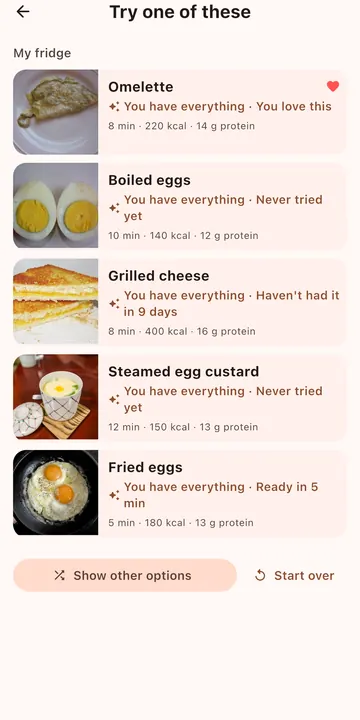
Fridge Pick is a small recipe and meal-planning app for the moment you open the fridge and don’t know what to eat. It comes with quick dishes, from oatmeal, omelettes and toasties to Greek salad and salmon with rice, each ready in 15 minutes or less. Every dish has a photo, a step-by-step recipe, approximate nutrition per serving and its common allergens.
Tell the app which products you have, and it shows which dishes you can make right now and what’s missing. Tell it about your allergies, the ingredients you never cook with and the appliances in your kitchen, and it only suggests dishes that suit you. Everything happens on your phone: there is no account, no internet connection and no data collection.
How it works
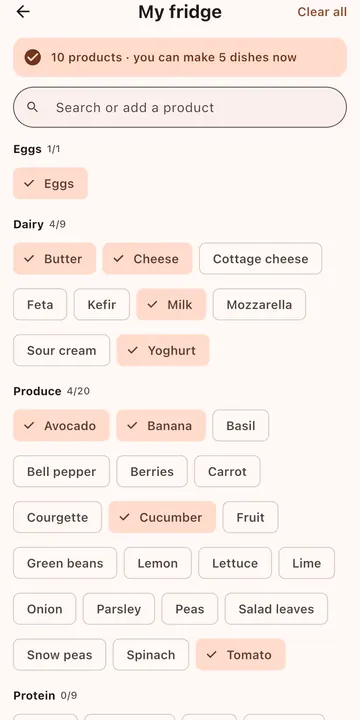
- Tick what you have. Open My fridge and tap the products you have at home. Salt, pepper, oil and water count as always there.
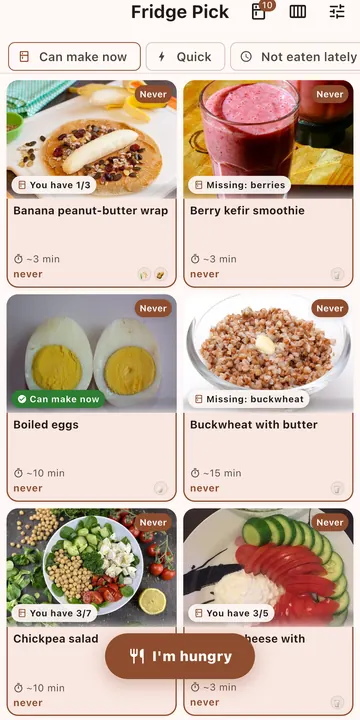
- See what you can cook. Turn on Can make now, or look at the hint on each dish: “Can make now”, “Missing: tomato” or “You have 4/7”.
- Cook and remember. Follow the recipe, then tap I made this. Fridge Pick remembers when you last had each dish and mixes things up.
Features
My fridge
Pick from more than 60 common products, search, or add your own. Fridge Pick counts how many dishes you can make now.
How to use My fridgeQuick dishes
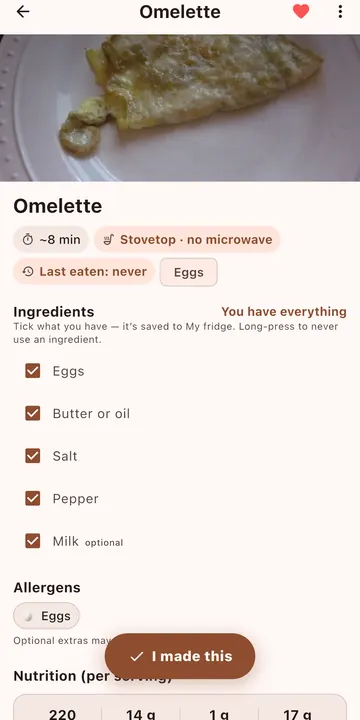
Simple recipes for 15 minutes or less, with photos, ingredients, steps and nutrition per serving: calories, protein, carbs and fat.
About dish pagesHandy filters
Favorites, Quick (about 5 minutes), Not eaten lately, Can make now and food groups such as Eggs or Dairy. Combine them as you like.
All filtersI’m hungry
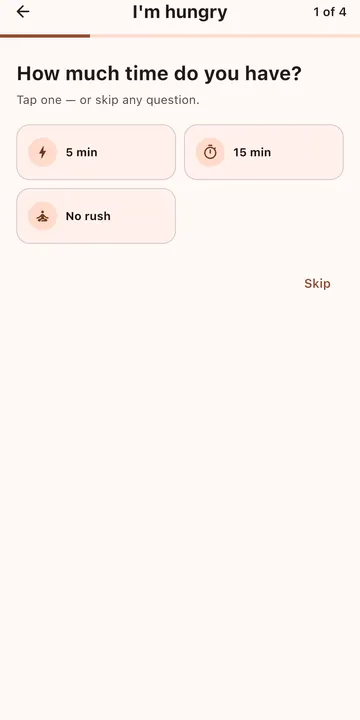
Answer up to four quick questions (time, hunger, craving, your fridge) and get 3–5 dishes with a reason for each.
Try I’m hungryWeek plan
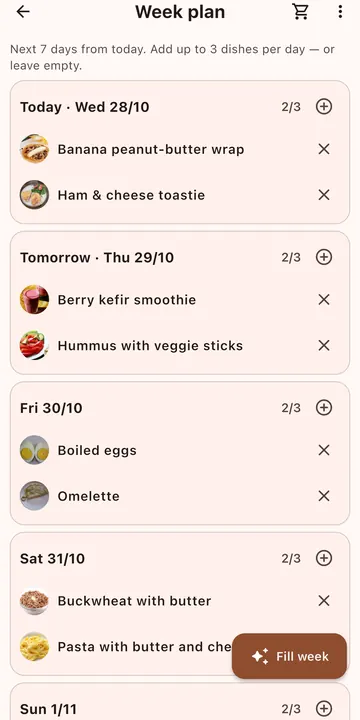
Plan the next 7 days with up to 3 dishes a day. Fill week adds a varied dish to every day; remove one and get 3 replacements.
Plan your weekShopping list
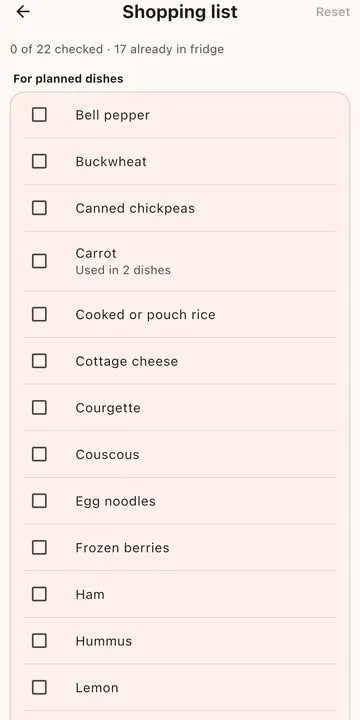
Built from your week plan and the items you add from dish pages. Products already in your fridge are set aside. Share it as a text checklist.
Shopping list guideShare recipe cards
Send any dish as a picture card with the photo, time, nutrition, ingredients and steps, plus the recipe as text.
Share a recipeAllergies & dislikes
Choose from 11 common allergens and exclude any ingredient you never cook with. Unsuitable dishes are hidden or clearly marked.
Set up allergiesFits your kitchen
Stove, oven, steam cooker, microwave, toaster or blender: recipes switch to a method you can use. No microwave? It’s never suggested.
Kitchen settingsFavorites & your own dishes
Heart the dishes you love, hide the ones you don’t, and add your own recipes with ingredients and steps.
Manage your menu
Screenshots
Private and offline by design
- Works fully offline. All dishes, recipes and photos are built in, and the app never connects to the internet.
- No account, sign-up or sign-in.
- No analytics, ads or tracking. Your fridge, plan, lists and settings stay on your device.
Read the Privacy Policy.
Good to know
Language. The app’s interface is in English. This website is also available in Russian.
Allergen information is for convenience only and may be incomplete. Ingredients and brands vary, so always check product labels. Nutrition values are approximate.
Support and contact
Found a bug, have a question or an idea? Write to me, the developer, at dreamcomenull@gmail.com. I reply to every message as soon as I can. Please include your device model, iOS or Android version and what happened; a screenshot helps a lot.